REACH ME
(+381 ) 65 - 265 - 8527
HI@DEVMILOSH.COM
MY RESUME

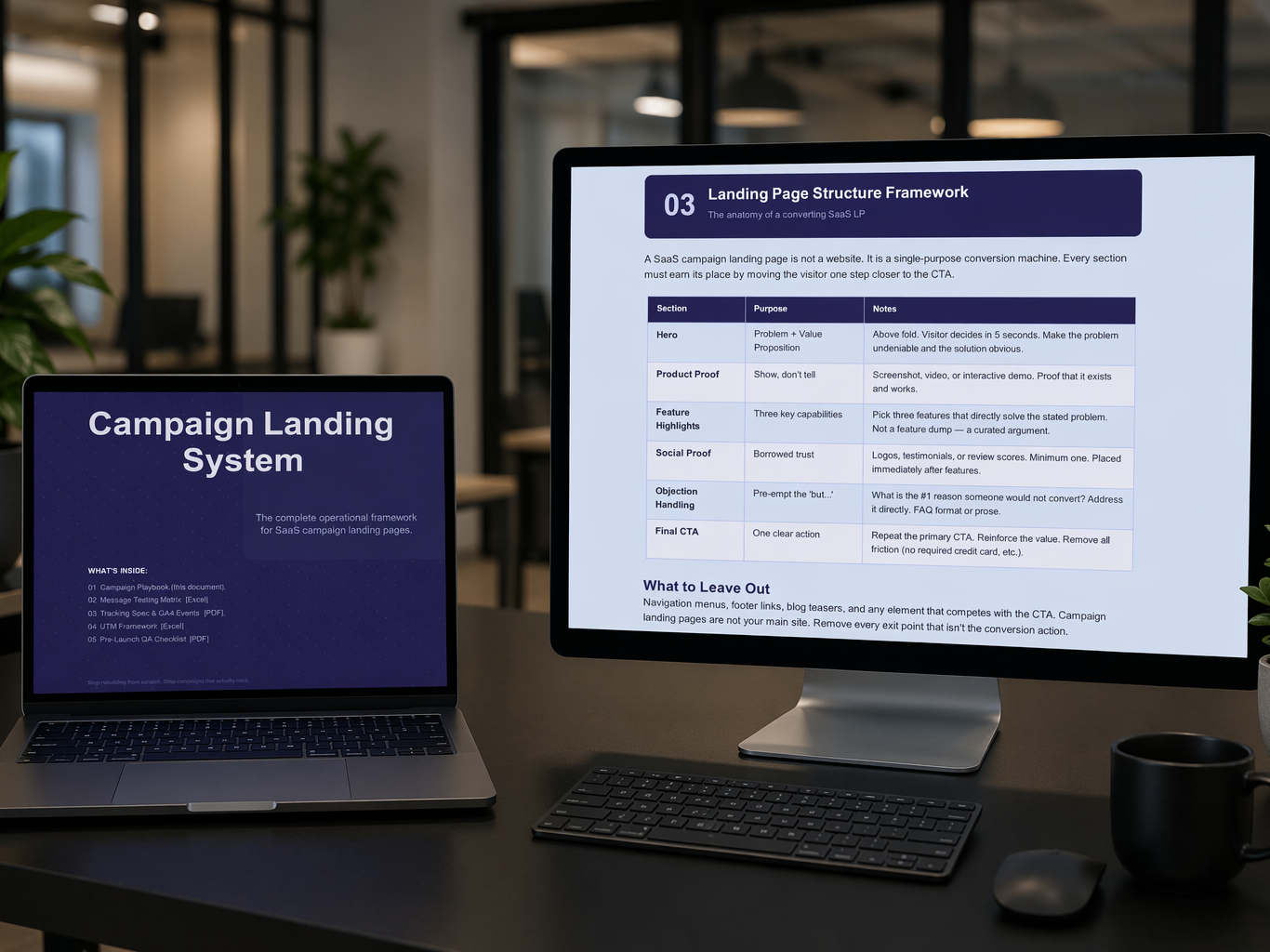
If you've ever built a campaign landing page for a SaaS product, you already know how this story ends.
The marketing team sends the brief on Monday. You build the page by Thursday. The campaign launches Friday. Two weeks later, someone asks you why the analytics data doesn't make sense - and you realize the tracking was broken the whole time.
This isn't a rare story. It's the default experience for most SaaS teams running campaigns, and it happens for one reason: there's no shared operating system for how campaign landing pages get built, tracked, and launched.
I've been a Webflow developer for years, working with SaaS clients across different industries. I built the same campaign landing page structure over and over. And every single time, I made the same mistakes - until I stopped improvising and built an actual system.
This post is about why that system matters, and what every SaaS campaign landing page needs to have before it goes live.
Before we talk about solutions, let's name the problems specifically. If any of these sound familiar, you already know what I'm talking about.
The page launches. Someone remembers to add GA4 a week in. The events are named inconsistently. By the time you pull the data, you can't tell what a conversion actually was.
One person uses utm_source=linkedin. Another uses utm_source=LinkedIn. A third writes utm_source=linkedin-ads. Now your traffic report has three rows for the same channel, and your attribution is broken.
Mobile layouts that break at 375px. Forms that don't send data anywhere. CTAs that link to the wrong URL. All discoverable - if anyone had a systematic way to check.
The headline was picked by whoever had the loudest opinion in the meeting. There's no hypothesis behind it, no variant to compare it against, no way to know whether it worked.
Each campaign starts from zero. The developer reinvents their QA list. The marketing team rewrites the tracking spec. Nobody documents what worked last time, so every campaign launch takes 20 more hours than it should.
The obvious answer is "teams are disorganized." That's not quite right.
The actual problem is that these tasks cross three different roles: the developer who builds the page, the marketer who writes the copy, and the analyst who sets up the tracking. Each role has its own priorities, its own tools, and its own idea of what "done" means.
Without a shared system that connects all three, each role does their piece - and the seams between them leak. The developer ships a page without knowing what events should fire. The marketer writes copy without knowing what's being tested. The analyst sets up tracking after the fact and hopes the event names match.
A SaaS campaign landing page isn't just a web page. It's an artifact that requires coordination across three disciplines. And most teams treat it as if it's just design work.
I'm going to walk through the exact structure I use for every SaaS campaign I work on. This is the framework that became the Campaign Landing System I recently published - but the principles are what matter, whether you buy the toolkit or build your own.
Before opening Webflow, before writing a word of copy, before touching Google Analytics - answer one question:
What is the single action this landing page must drive?
Demo booking. Free trial signup. Waitlist entry. Pick one. If you can't pick one, you have two campaigns, not one. Build two pages.
Every subsequent decision - messaging, layout, CTA placement, tracking - depends on the answer to this question. Teams that skip this step end up with landing pages that try to do three things at once and accomplish none of them.
Most teams pick a headline by consensus. The strongest opinion wins, the page gets built, and nobody knows if it was the right choice.
A real system treats messaging as a hypothesis:
Each one is a different bet. You test the two most promising variants, log results, and build institutional knowledge that carries across campaigns.
Most teams skip this because they don't have a structured way to capture results. That's exactly the problem a message testing matrix solves - a simple spreadsheet where you log your hypothesis, your variants, and your outcomes for every campaign you run.
This is the single biggest mistake I see teams make: they set up tracking after the page is built.
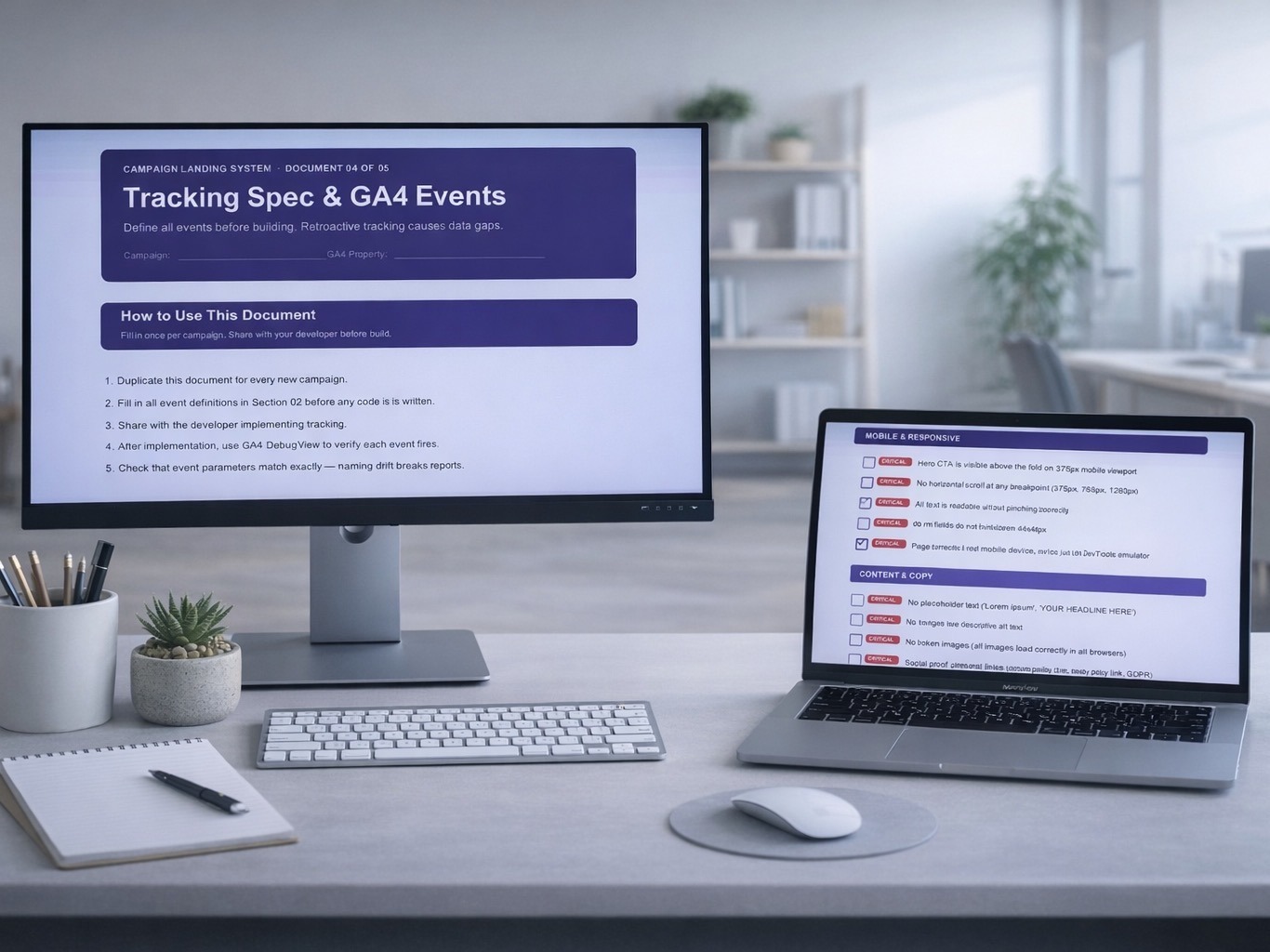
This is backwards. Tracking should be defined in a spec document before a single component is placed in Webflow. The spec should answer:
cta_click is not the same as CTA_Click.)For a SaaS campaign landing page, the standard event set looks like this:
page_view - page loadscta_click - primary CTA button clickform_start - user focuses first form fieldform_submit - successful form submissionscroll_25, scroll_50, scroll_75 - scroll depth trackingoutbound_click - any external link clickEvery event has parameters. Every parameter needs to match between your spec and your implementation. When they don't match, your reports break in ways that are hard to diagnose later.
A SaaS campaign landing page is not a website. It's a single-purpose conversion machine. Every section must earn its place by moving the visitor one step closer to the CTA.
The structure I use on every campaign:
Things that don't belong on a campaign landing page: navigation menus, footer links, blog teasers, or any element that competes with the CTA. This is not your main site. Every exit point that isn't the conversion action is a leak.
Pre-launch QA is where most campaigns break. Not because the problems are hard - because they're easy to miss at 11pm when you're rushing to launch.
A proper QA checklist for a SaaS campaign landing page covers eight categories:
The list should have 50+ items. Critical items should be flagged. You should refuse to launch until every failing item is resolved.
The campaign doesn't end at publish. If you're looking for a broader launch framework that covers the full website delivery - not just campaigns - check out my Website Launch Checklist. The operational sequence continues:
This is how campaigns compound. One campaign is noise. Three campaigns with documented outcomes is a pattern. Ten campaigns with systematic testing is a strategy.
The developers and marketers who ship great SaaS campaign landing pages aren't necessarily more talented than the ones who don't. They just have a system.
A system means:
The upside of a system isn't that it makes each individual campaign dramatically better. It's that it makes every campaign slightly better than the last one, and those small improvements compound across months and years.
Teams without a system plateau. Teams with one keep improving.
You can absolutely build your own version of this. The frameworks are public, the tools are standard, and nothing here is proprietary.
But if you want the shortcut, I've packaged the whole thing as a digital product:
Five files that cover the entire workflow:
It's $15. Single purchase, unlimited campaigns. Built specifically for Webflow freelancers and small SaaS teams.
Get the Campaign Landing System →
Launching a full website, not just a campaign?The Website Launch Checklist covers the complete delivery process - 6 phases, 9 deliverables, everything from pre-build structure to client handoff.
SaaS campaign landing pages aren't about design. They're about process.
The teams that win long-term aren't the ones with the prettiest pages. They're the ones with the cleanest data, the fastest rollouts, and the shortest feedback loop from launch to insight.
If your next campaign feels like it's being built from scratch - stop. Build the system first. Then run the campaign through it.
You'll ship faster, track cleaner, and stop losing data you're never getting back.
.png)
.png)
.png)