REACH ME
(+381 ) 65 - 265 - 8527
HI@DEVMILOSH.COM
MY RESUME

If you've been freelancing for more than six months, you already know the feeling.
You sign the contract. You get off the kickoff call excited. You open Webflow.
And then you wait.
You wait for the hero headline. You wait for the logo files. You wait for someone to tell you how many pricing tiers they actually have. Two weeks pass and the only thing in your inbox is "copy is almost ready" — for the third time.
That's not a client problem. That's a process problem. And it's completely fixable.
This is how I fixed it — and the client onboarding template I built to make sure it never happens again.
I used to think project delays happened during the build. Wrong scope, wrong design direction, too many revision rounds.
But when I started tracking where my projects actually got stuck, the answer was always the same: the first two weeks. Before I touched Webflow. Before I wrote a single line of CSS.
The problems were always the same:
Missing copy. The client said content was ready. It wasn't. The hero headline was a draft from six months ago. The feature descriptions didn't exist yet. The pricing page had three different versions in three different Google Docs.
Wrong asset formats. Logo arrived as a JPEG on a white background. Screenshots were taken on a 13-inch laptop at 1x resolution. Headshots were cropped inconsistently, different backgrounds, different lighting.
Scope creep. Halfway through the build: "Can you just add a blog section?" "We actually need a careers page." "The founder wants a custom animation on the hero."
No clear agreement on what "done" meant. The client thought revisions were unlimited. I thought we agreed on two rounds. Nobody had it in writing.
Every single one of these problems is preventable. None of them require a difficult conversation. They just require a system — something you send before the build starts that forces the right decisions at the right time.
A client onboarding template isn't a welcome email. It's not a PDF with your logo on it that says "excited to work together."
It needs to do three things:
1. Force decisions early. Clients make better decisions when they're still excited about the project — right after signing. A week later, momentum drops. Two weeks later, you're chasing them.
2. Collect everything in one pass. Every asset, every piece of copy, every decision — collected once, upfront, in the right format. No back-and-forth, no Slack DMs at 11pm, no "can you resend that file?"
3. Protect your time automatically. Scope creep doesn't happen because clients are difficult. It happens because nobody agreed on boundaries. A good onboarding template makes those boundaries explicit — before anyone gets defensive about them.
After too many chaotic starts, I built a template that covers all three. Here's exactly how it works.
The first thing I send after every signed contract is the Project Brief. Not the next day. Not after the kickoff call. The same day.
It covers everything the client needs to decide before the build starts: goals, pages, integrations, timeline, content ownership, and go-live date. It takes them about 15 minutes to fill in.
The rule I stick to: if a client can't return the brief within 48 hours, the project isn't ready to start. That's not a punishment — it's a filter. A client who can't answer basic questions about their own project in 48 hours will cause delays for the entire duration.
This is the piece that changed my projects the most.
Before I open Webflow on any project, I run through a 30-item checklist. Every item is labeled Required, Recommended, or Optional. Homepage, Features, Pricing, About, Legal — every section covered.
The rule is simple: if three or more Required items are unchecked, I don't start the build. I reschedule and send the deadline reminder email.
This sounds strict. It is. And it has never once caused a problem with a client who was actually ready to work.

Instead of telling clients to "send over their assets," I send them a spec sheet that lists exactly what I need, in what format, at what size.
Primary logo in SVG and PNG. Favicon in ICO and PNG at 32x32 and 64x64. Hero image at 2400x1600px minimum. Team headshots at 800x800px with consistent backgrounds.
When clients have this list, they deliver the right files the first time. When they don't — you get a JPEG of a logo photographed on an iPhone.
At kickoff, I go through a simple Included / Not Included list with the client. We agree on it together. It covers everything from the number of pages to revision rounds to whether copywriting is included (it's not).
When a client asks for something new mid-project, I check the list. If it's not on the Included side, I copy a pre-written response script, fill in the brackets, and send it. The script is professional, clear, and offers the additional work as a paid add-on.
No awkward conversation. No free work. No guilt.
Three emails cover 90% of the situations where freelancers waste time writing from scratch:
Kickoff email — sent within 24 hours of signing, explaining what happens next and what the client needs to deliver.
Deadline reminder — sent five days before the content deadline, listing exactly what's still outstanding and what happens to the timeline if it's late.
Scope change response — sent when a client requests something out of scope, with time estimate, cost, and timeline impact already formatted.
All three have brackets to fill in. They take two minutes each.
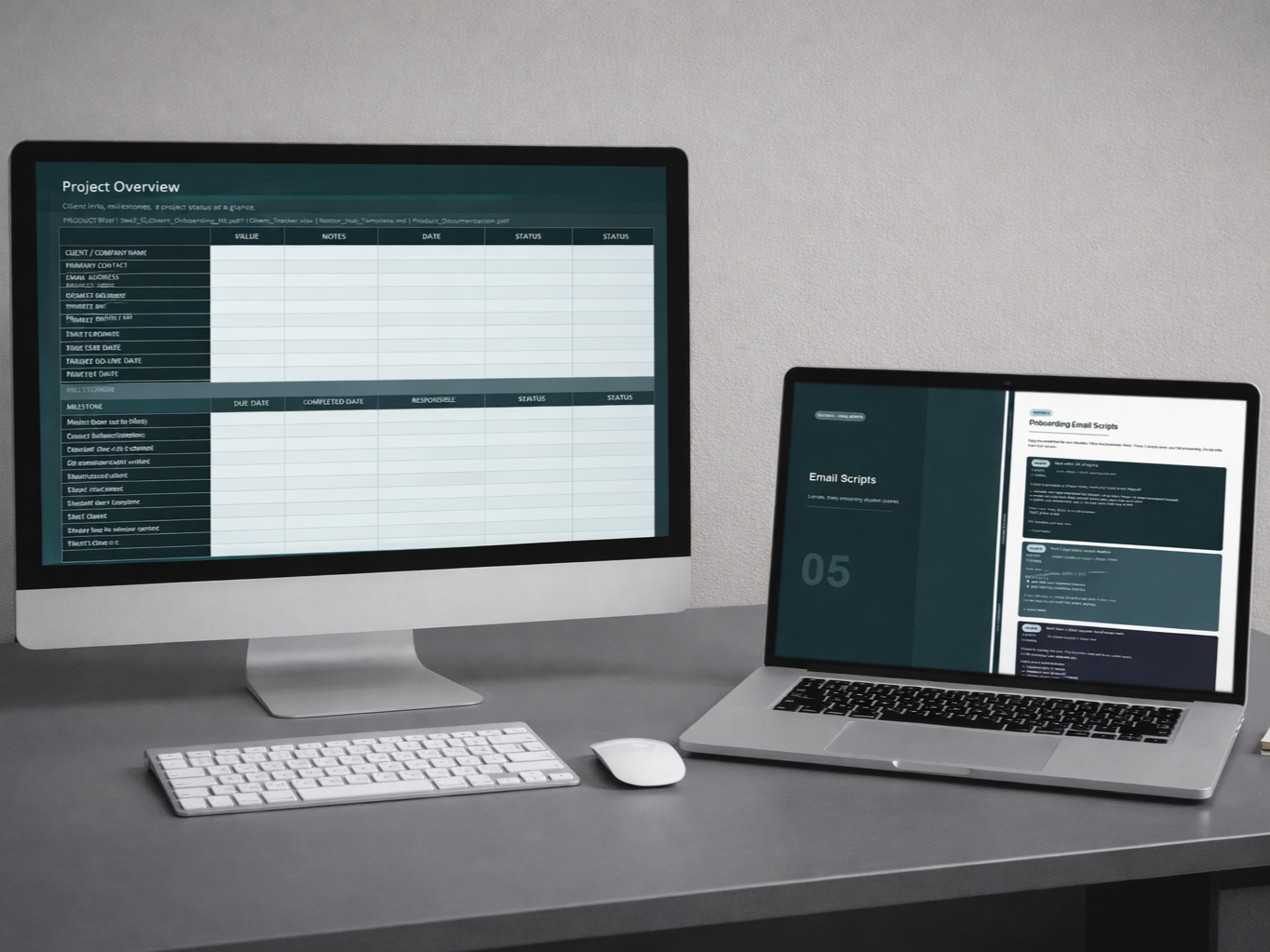
A spreadsheet that tracks the entire project in one place: 12-milestone project overview, copy readiness status, asset delivery status, and scope guard reference. Dropdown validations and conditional formatting included.
Works in Microsoft Excel, Google Sheets, and LibreOffice.
If you use Notion, the entire system is available as a Markdown file you paste into any Notion page. All tables, checklists, and email scripts render instantly. Duplicate per client, keep your project history clean.
One delayed project — waiting two weeks for copy that should have been ready on day one — costs you 3 to 10 hours of rework, follow-up, and timeline management.
At a $50/hour rate, that's $150 to $500 of your time. On a single project.
A client onboarding template that prevents that pays for itself in the first hour of the first project you use it on.
I packaged everything into the Client Onboarding Template — 5 files, $15, works on every project you take with no per-project fee.
→ Client Onboarding Template — $15
If you're a Webflow freelancer or web designer who's had at least one project run late because the client wasn't ready — this is built for you.
.png)
.png)
.png)